Designed to take a school or district live in about two weeks.
About 90 minutes of setup, spread across the first two weeks — contract to first assignment. Here's what that actually looks like, step by step.
Sign the contract, get an admin invite, connect the roster.
After your contract is signed, we create your district record and send your admin invite. From the dashboard you import rosters from any SIS export (OneRoster CSV) today. If your district uses Clever, tell us at signing: Clever SSO + roster sync is fully built, and we activate your district connection as part of onboarding (ClassLink support is in final integration). Roster import pulls teachers, students, classes, and grade levels in a single pass.
You'll also choose your state framework (11 options) and invite building admins or department leads. You can force a resync anytime from class settings — no ticket required.
One onboarding call, scheduled around your team.
Every new School and District license includes a one-time 60-minute onboarding Zoom for your team. We schedule it at your convenience — typically after 4pm ET or during school breaks.
We walk through the student experience (assessment, practice, the collection layer), the teacher dashboard (class progress, per-question analysis, mastery checklist), how to build standards-aligned assignments, how to run a Class Challenge, and the assessment windows plus the needs-attention and small-group-lesson workflow. Teachers who join later can work through this guide at their own pace.
Students take the Grow — math and reading, once each.
At the start of the year, every student takes the Grow assessment: one for math, one for reading. Students pick their grade, then the adaptive engine places them at their instructional level within that grade band. The whole thing runs in about 20–25 minutes and can be paused and resumed mid-test if the period ends.
Results populate dashboards immediately. There are three windows per year — Fall, Winter, and Spring — and the Winter and Spring windows re-open automatically when the time comes.
Assign standards in the rhythm of your week.
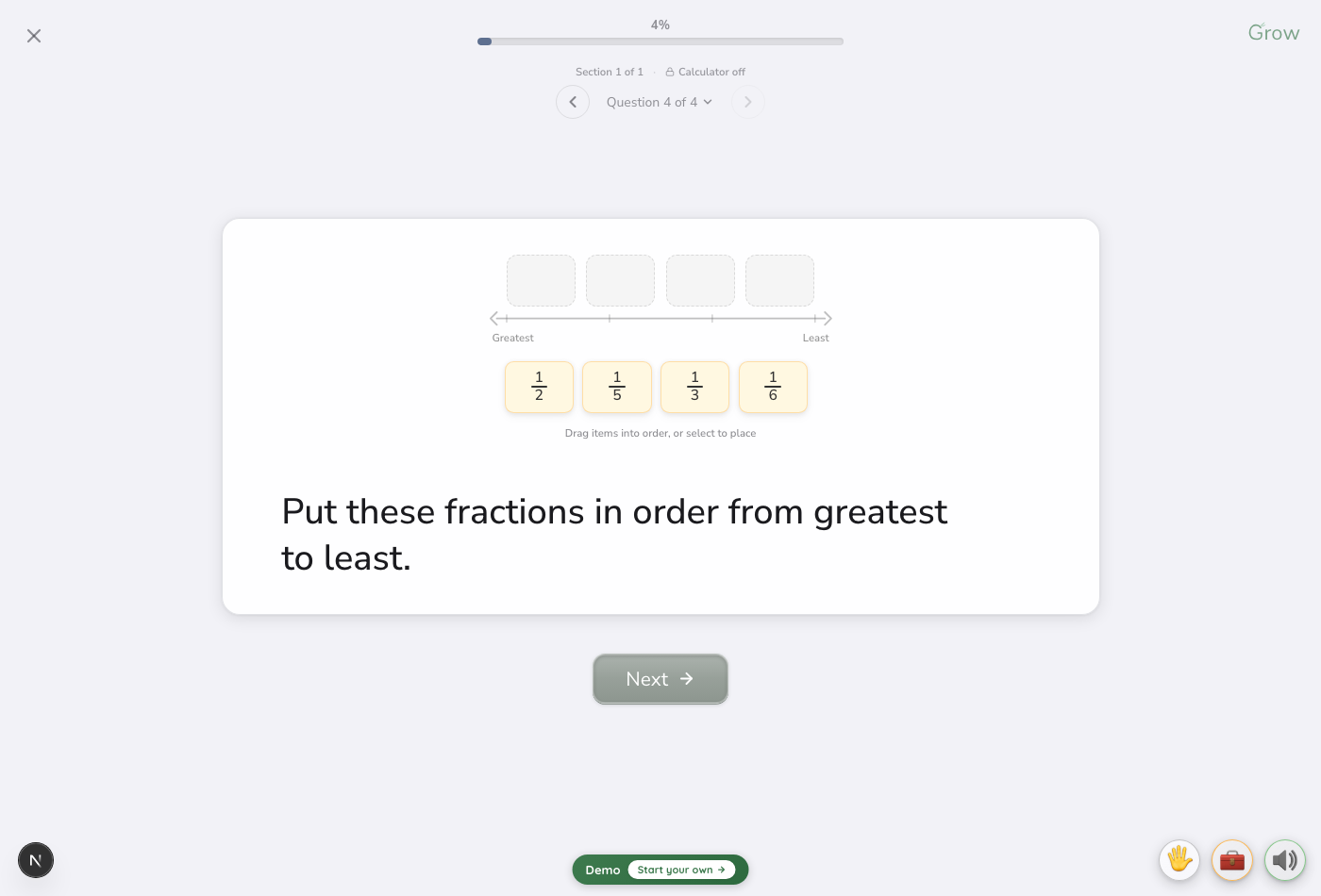
From your class screen, open Assign. Search by state standard code, domain, or keyword; select skills, set a due date, and push to the whole class or to specific students. Progress updates in real time, and new work lands directly on each student's home screen — title, due date, and a one-tap start.
When a class splits obviously — some students ready to stretch, others still shoring up foundations — the one-click auto-differentiation option pushes advanced skills to strong students and foundational ones to students who need them.
Weekly data review, in about fifteen minutes.
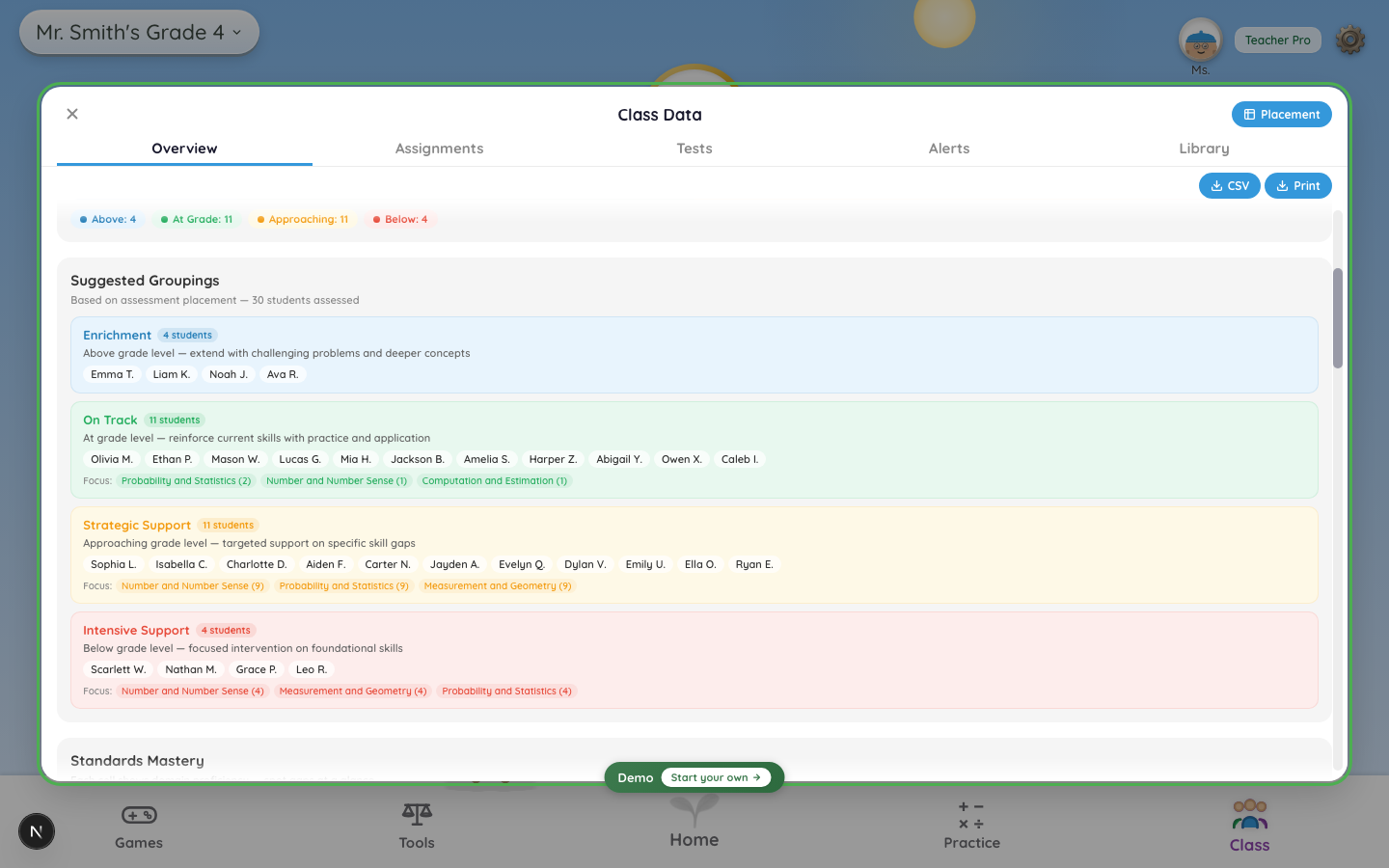
The Class Data button opens the dashboard. Overview shows class-average mastery, the level distribution, and suggested groupings. Assignments and Tests break down performance per-question, and Alerts surfaces the students who need attention — including those who ace practice but struggle on tests.
Tapping any student's face opens their personal stats — domain scores, Grow history, and a growth-over-time trendline with a math/reading toggle. The Placement view lays out assessment placements across the class. Every dashboard exports to CSV; student reports export to PDF.
Remediation, right where the classroom already lives.
The notification bell flags students who are stalling. Open it for a needs-attention triage list, then jump to the Lessons page, where those students are grouped by the shared error behind their wrong answers — each group with a one-tap small-group lesson to assign. It lives at the classroom level, so counselors and admins with classroom access see it automatically, no separate tool to provision.
A few small moves that pay off, plus the inboxes that answer.
Take the Grow in class, not as homework — students take it more seriously when it counts. Run one Class Game in week 2; it builds engagement fast. Check the Recommendations chip in Class Progress weekly for focus groupings. Send home a parent note — students usually want to show off their potato. And don't assign more than three skills per week early on; leave room for voluntary practice to happen.
For everyday support, email support@potatoclass.com — we respond within two business days. On-request Zoom walkthroughs and 1:1 screen-share tech calls (roster issues, dashboard questions, data reviews) are scheduled on demand, typically after 4pm ET or during school breaks. District partnership questions go to partnerships@growingstandard.com.
Ready to start the two-week clock?
Request a quote and we'll line up the onboarding call with your contract.